Visualization Basics

Lecture 2

Dr. Eric Friedlander

College of Idaho
CSCI 2025 - Winter 2026

library(tidyverse)
── Attaching core tidyverse packages ──────────────────────── tidyverse 2.0.0 ──
✔ dplyr     1.1.4     ✔ readr     2.1.6
✔ forcats   1.0.1     ✔ stringr   1.6.0
✔ ggplot2   4.0.1     ✔ tibble    3.3.0
✔ lubridate 1.9.4     ✔ tidyr     1.3.2
✔ purrr     1.2.0     
── Conflicts ────────────────────────────────────────── tidyverse_conflicts() ──
✖ dplyr::filter() masks stats::filter()
✖ dplyr::lag()    masks stats::lag()
ℹ Use the conflicted package (<http://conflicted.r-lib.org/>) to force all conflicts to become errors

Grammar of graphics

Data visualization

“The simple graph has brought more information to the data analyst’s mind than any other device.” — John Tukey

  • Data visualization is the creation and study of the visual representation of data

  • Many tools for visualizing data – R is one of them

  • Many approaches/systems within R for making data visualizations – ggplot2 is one of them, and that’s what we’re going to use

ggplot2 ∈ tidyverse

  • ggplot2 is tidyverse’s data visualization package

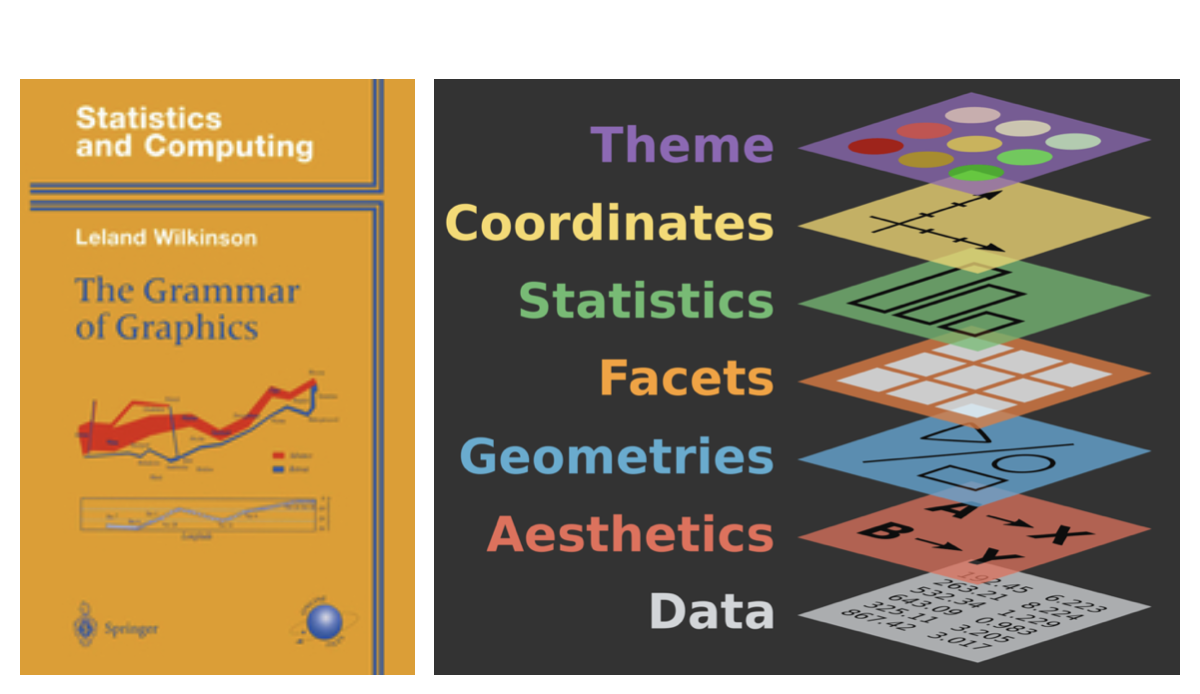
  • gg in “ggplot2” stands for Grammar of Graphics

  • Inspired by the book Grammar of Graphics by Leland Wilkinson

Grammar of Graphics

A grammar of graphics is a tool that enables us to concisely describe the components of a graphic
Hello ggplot2!

  • ggplot() is the main function in ggplot2
  • Plots are constructed in layers
  • Structure of the code for plots can be summarized as
ggplot(data = [dataset], 
       mapping = aes(x = [x-variable], y = [y-variable])) +
   geom_xxx() +
   other options
  • The ggplot2 package comes with the tidyverse
library(tidyverse)

Data: Palmer Penguins

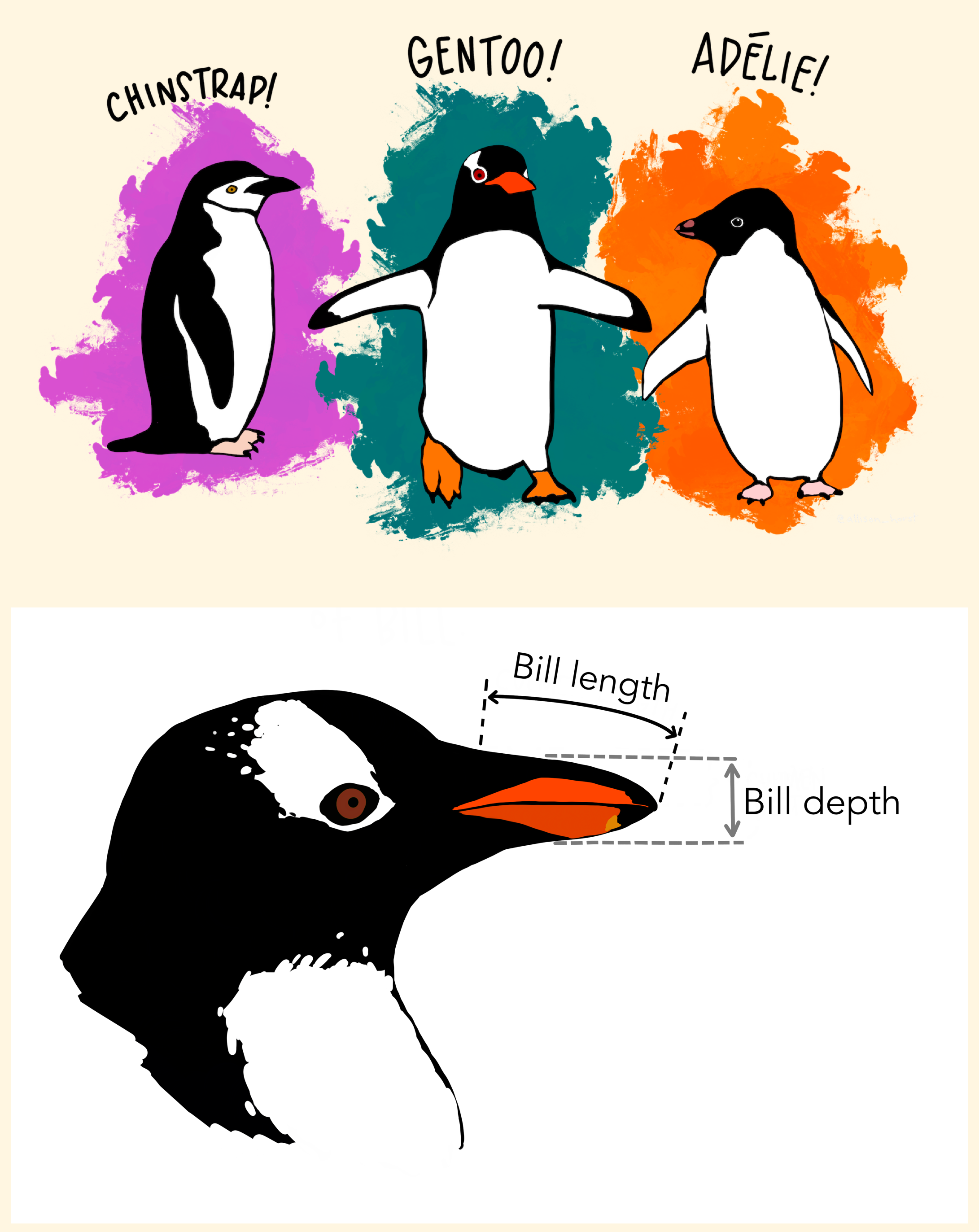
Measurements for penguin species, island in Palmer Archipelago, size (flipper length, body mass, bill dimensions), and sex.

library(palmerpenguins)

Attaching package: 'palmerpenguins'
The following objects are masked from 'package:datasets':

    penguins, penguins_raw
glimpse(penguins)
Rows: 344
Columns: 8
$ species           <fct> Adelie, Adelie, Adelie, Adelie, Adelie, Adelie, Adel…
$ island            <fct> Torgersen, Torgersen, Torgersen, Torgersen, Torgerse…
$ bill_length_mm    <dbl> 39.1, 39.5, 40.3, NA, 36.7, 39.3, 38.9, 39.2, 34.1, …
$ bill_depth_mm     <dbl> 18.7, 17.4, 18.0, NA, 19.3, 20.6, 17.8, 19.6, 18.1, …
$ flipper_length_mm <int> 181, 186, 195, NA, 193, 190, 181, 195, 193, 190, 186…
$ body_mass_g       <int> 3750, 3800, 3250, NA, 3450, 3650, 3625, 4675, 3475, …
$ sex               <fct> male, female, female, NA, female, male, female, male…
$ year              <int> 2007, 2007, 2007, 2007, 2007, 2007, 2007, 2007, 2007…
Types of variables

  • Categorical variables: can take only a small number of values
    • Typically doesn’t make sense to do arithmetic on categorical variables
    • Types:
    • Nominal variables: categories with no inherent order (e.g., species, island)
    • Ordinal variables: categories with a natural order (e.g., size: small, medium, large)
  • Numerical variables: makes sense to “do math” with numerical variables
    • Types:
      • Discrete variables: can take only certain values (e.g., number of penguins)
      • Continuous variables: can take any value in a range (e.g., bill length, body mass)

Categorical vs. Numerical: A fuzzy line

  • Many times: categorical vs. numerical is NOT clear-cut
    • Number \(\neq\) Numerical:
      • e.g., ZIP codes, phone numbers, student ID numbers
    • Ordinal variables are commonly treated as numerical when they aren’t
      • e.g., Likert scale responses (Strongly Disagree to Strongly Agree)
  • Type of variable will depend on type of analysis and visualization
  • Sometimes: better to treat numerical as categorical (e.g. if you have a very small number of distinct values)

Visualizing Univariate Data

  • Different types of plots for different types of variables
    • Categorical variables: bar charts, pie charts (ew!)
    • Numerical variables: histograms, boxplots, density plots (many options)
  • Let’s visualize univariate data from the penguins data frame
    • species
    • bill_length_mm
    • year

Bivariate Plots: Visualizing Relationships

  • Visualizing relationships between two variables
    • Categorical vs. Numerical: boxplots
    • Numerical vs. Numerical: scatterplots
    • Categorical vs. Categorical: bar charts

More than two variables

  • Visualizing relationships among more than two variables
    • Use aesthetics like color, shape, and size to represent additional variables
    • Faceting to create multiple plots based on the values of one or more categorical variables

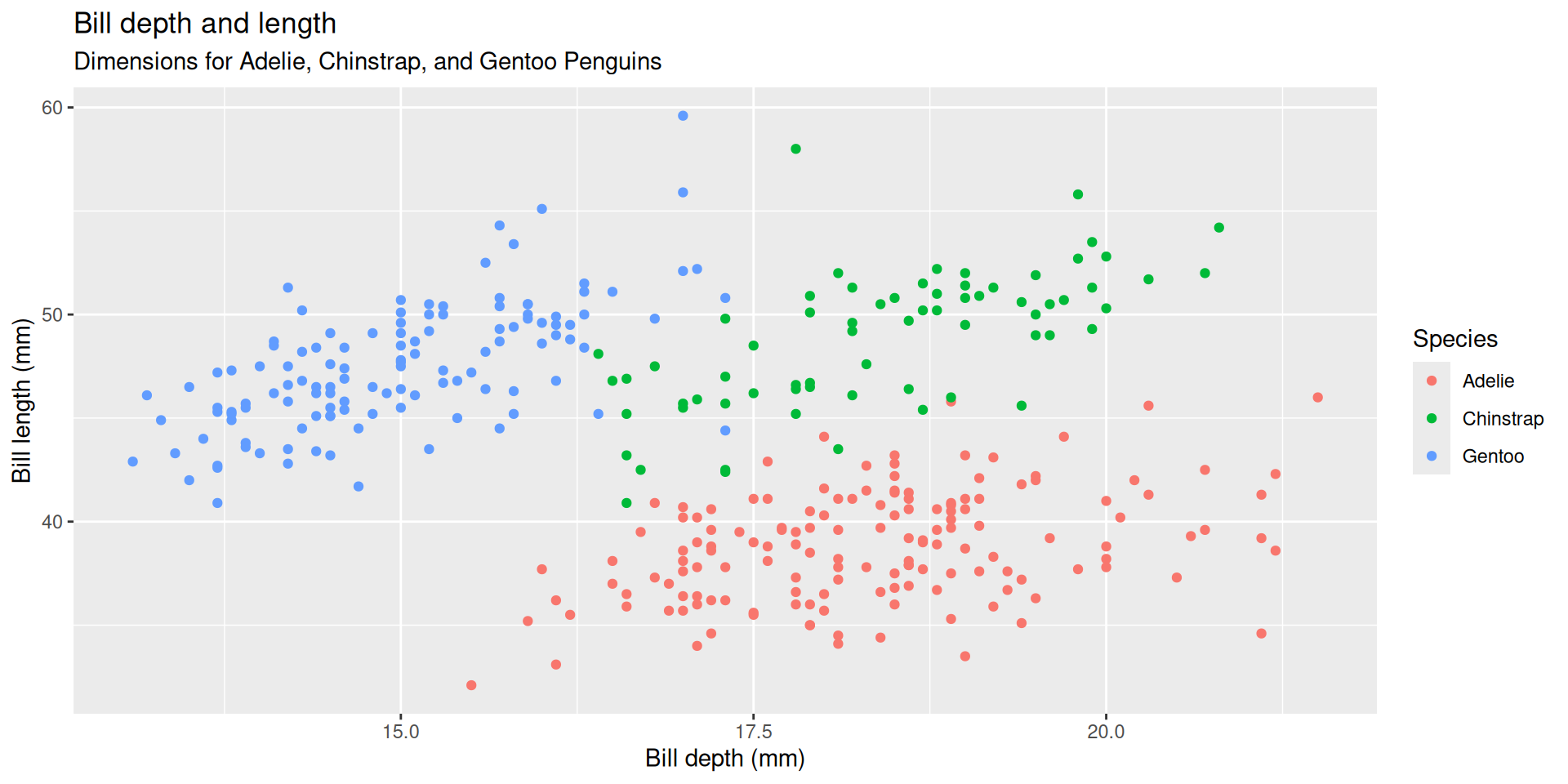
Goal: Let’s create this plot!

Warning: Removed 2 rows containing missing values or values outside the scale range
(`geom_point()`).
An improved goal

Warning: Removed 2 rows containing missing values or values outside the scale range
(`geom_point()`).
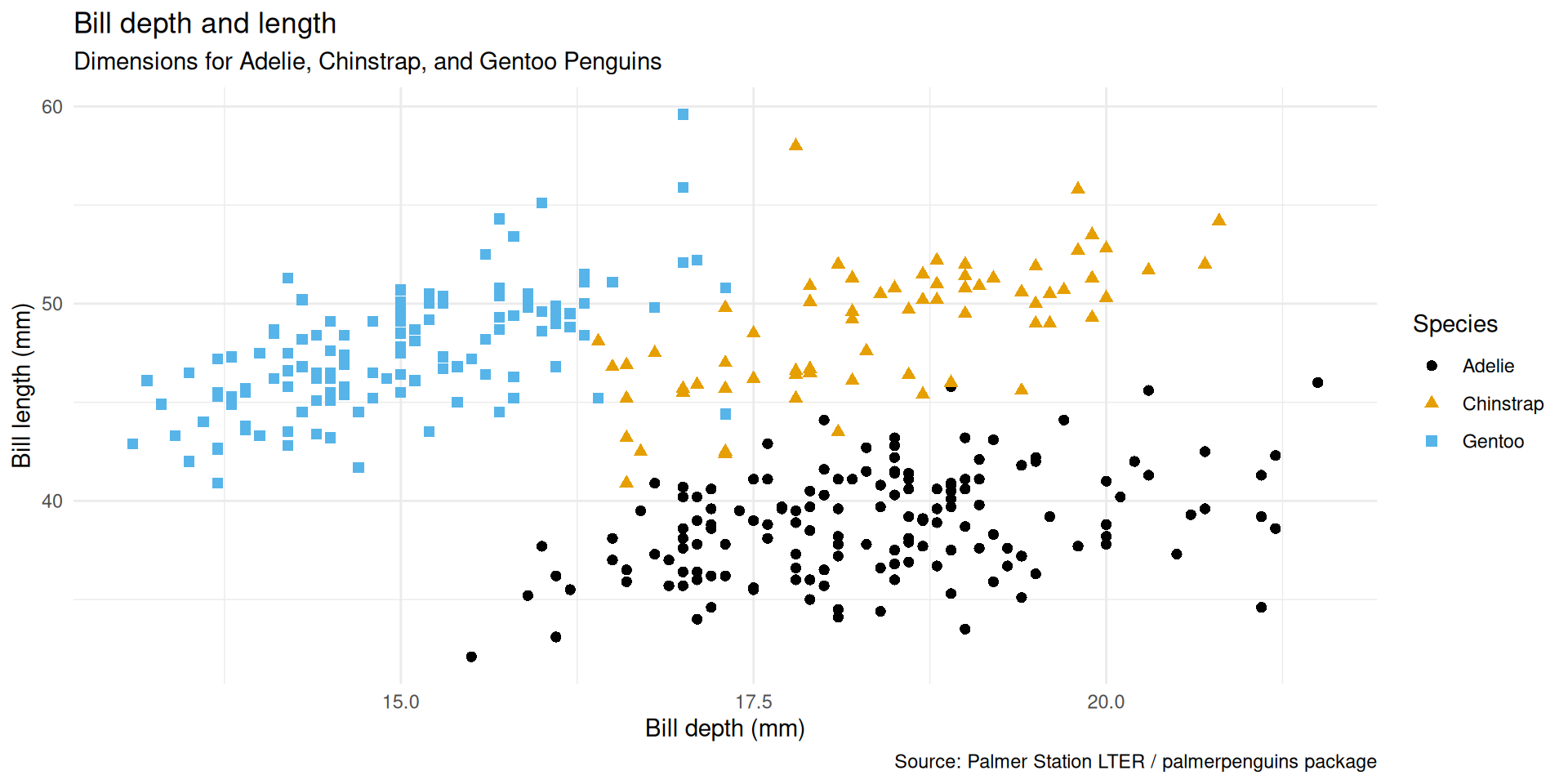

Narrative

  • Start with the penguins data frame, map bill depth to the x-axis and map bill length to the y-axis.

  • Represent each observation with a point and map species to the color and shape of each point.

  • Title the plot “Bill depth and length”, add the subtitle “Dimensions for Adelie, Chinstrap, and Gentoo Penguins”, label the x and y axes as “Bill depth (mm)” and “Bill length (mm)”, respectively, label the legend “Species”, and add a caption for the data source.

  • Finally, use a discrete color scale that is designed to be perceived by viewers with common forms of color blindness.

Wrap up

Do Next

  1. Read Chapter 1: Data Visualization from r4ds.
  2. Open the Recitation Gem and say “Provide me practice problems for Chapter 1” or work through some of the exercises in the text.
    • Note that you can say “This is too hard. Give me some easier problems.”
  3. Move on to Lecture 03.